



Gather feedback on the workplace
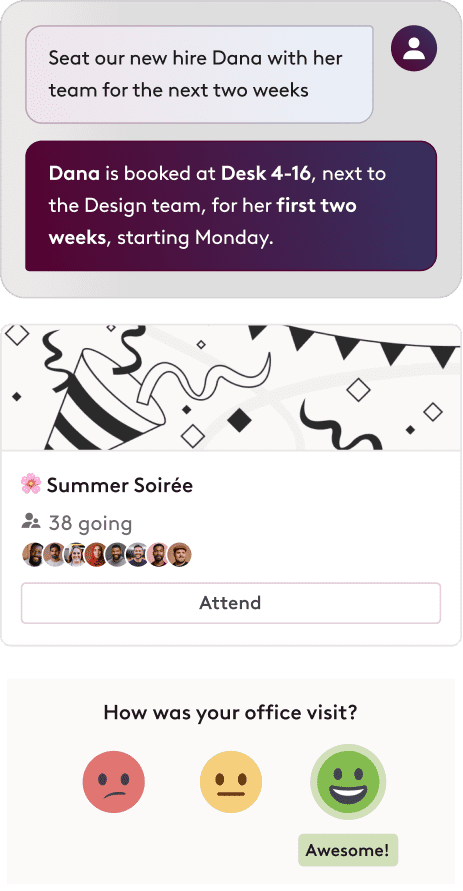
Hear directly from office attendees about their visits, analyze the data, and make informed changes. Track how scores evolve over time to spot what’s working.


Share real-time office updates and policies
Keep teams in the loop with updates—from floor closures and facility maintenance to IT issues, policy changes, and team-wide announcements—so nothing falls through the cracks.
Plan, share and join events for your spaces
From new hire welcomes and cultural celebrations to weekly fitness classes and trivia lunches — create activities that bring people together and make the office feel more connected.


Bring your team together in one request
Ask any popular AI assistant like Microsoft Copilot, Claude or ChatGPT to plan your office week, and Robin lines up the right day, desk and event around your team. Or ask the Robin Agent right in Robin.
Trusted by thousands of financial service organizations globally


Give teams what they need for productive workdays


Frequently asked questions about employee experience
Workplace employee experience software helps companies make the office worth coming into. Robin brings office feedback, announcements and events together with booking, so employees know what’s happening, who’s in and where to sit, and workplace teams can see what’s working.
Robin asks people about their office visits and collects their feedback in one place. Workplace teams can review the results, make changes and track how satisfaction scores change over time, alongside usage data in Robin’s workplace analytics.
Workplace teams post announcements in Robin, from floor closures and maintenance to IT issues, policy changes and team-wide news. Employees see them in Robin, so updates reach everyone without getting lost in email.
Yes. Teams can plan and share events like new hire welcomes, cultural celebrations, fitness classes and trivia lunches, and employees can find and join them in Robin. Events give people a reason to come in on the same days.
Robin shows who’s coming in and when, so employees can pick the days their team is in and book a desk nearby. That makes in-person time more intentional and gives teams real time together.
Yes. With Robin’s MCP connector, employees can ask any popular AI assistant, like Microsoft Copilot, Claude or ChatGPT, which days their team is in, set up a team event and book a desk nearby in one request. Every action follows the same permissions as in Robin.
Robin can check employees in automatically when they connect to the office network, so occupancy data stays accurate without anyone tapping a button. Robin also supports check-ins by QR code, badge and NFC.
Look for patterns in the feedback, like recurring comments about noise, missing equipment or crowded days, and compare them with how spaces are actually used in workplace analytics. Make a change, then watch whether satisfaction scores improve in the following weeks.
Double the effectiveness of the office in half the time
Unify your workplace operations and reimagine your offices with one AI-powered platform.


