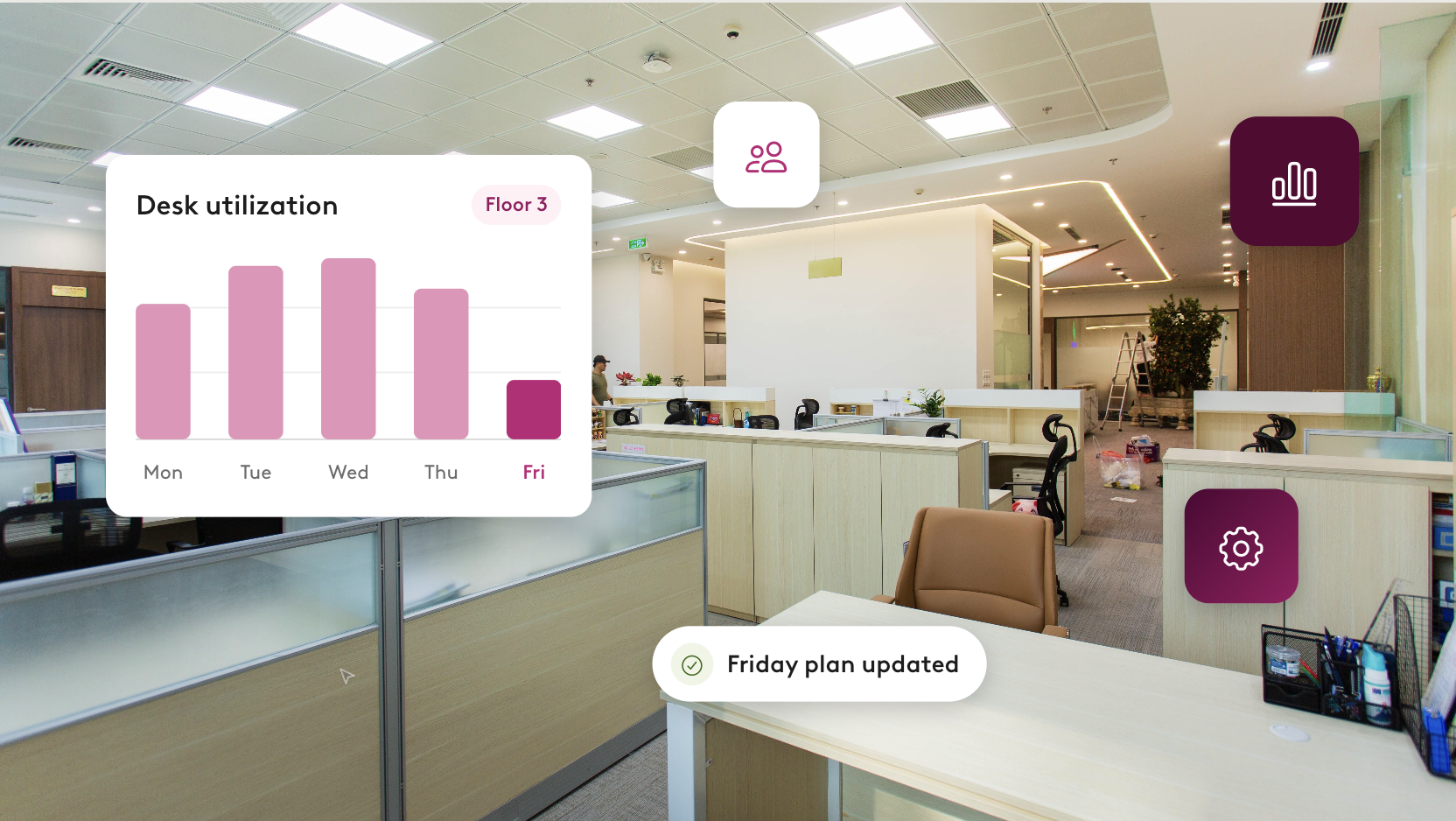

How Robin Makes Triaging Facilities Tickets A Breeze


If you manage tickets for an office space, you know just how quickly a curveball can disrupt your entire day. Funny enough, fixing the broken equipment is rarely the hard part. What’s most challenging is the ripple effect that an issue creates: figuring out who else will be impacted by the outage, finding them somewhere else to go or another resource to use in the interim, and rebooking each person by hand while the rest of your day waits.
The right workplace ticketing system will help you do all of that, going so far to even proactively pull everyone who will be impacted by the issue and find a fix before employees know there’s a problem. This guide walks through how to do that with Robin, so your day doesn’t keep getting eaten up by triaging facility tickets.
What makes triaging facilities tickets so hard?
Most ticketing tools are good at getting the issue reported and logged. The hard part comes after. Someone still has to decide how urgent the issue is, figure out who it affects, find those people a workaround, and route the issue to the right person to fix. In most offices, all of that still happens by hand.
Take a broken air conditioner in a conference room. A typical ticket tells you the AC is out, but it doesn’t tell you that six meetings are booked in that room today, who set them up, or where those groups should go instead. You have to figure all of that out yourself.
Here’s what that ripple effect looks like in practice:
- Detective work. You open the calendar to see who’s booked in the room today, tomorrow, and later in the week.
- Searching. For each booking, you look for another room that’s free at the same time and fits the right number of people.
- Outreach. You contact each organizer, explain what happened, and rebook them one at a time.
- Everything else waits. The rest of your open tickets sit on the back burner while you focus on this one issue.
The good news is that most of these steps don’t need to be done manually anymore. In this next section, we’ll cover how Robin helps you automate each one.
How to triage facilities tickets with Robin
Robin makes triaging facilities tickets faster and easier by centralizing every step of the process onto a single platform. Teams can report the issue, get the reporter a replacement, see every affected booking, confirm rebookings, and track the issue to resolution all from Robin.
Step 1: Report issues with just a sentence or a photo
The faster an issue is reported, the faster it can get solved. That's why Robin makes reporting as simple as possible. Employees can either type out their ticket or just upload a photo of the issue, and Robin’s AI Agent fills in the rest: which resource is impacted, a description of the issue, where it's located, and which booking it's tied to. The photo also travels with the ticket as evidence for whoever fixes it.

Step 2: Get employees back on track immediately
The person who hit the issue shouldn't lose their meeting while a ticket sits in a queue. As soon as they report it, Robin can offer them a replacement desk or space on the spot to keep their day moving. That also saves your workplace team from rebooking people by hand, freeing up time for everything else on their plate.

Step 3: See every booking an issue affects
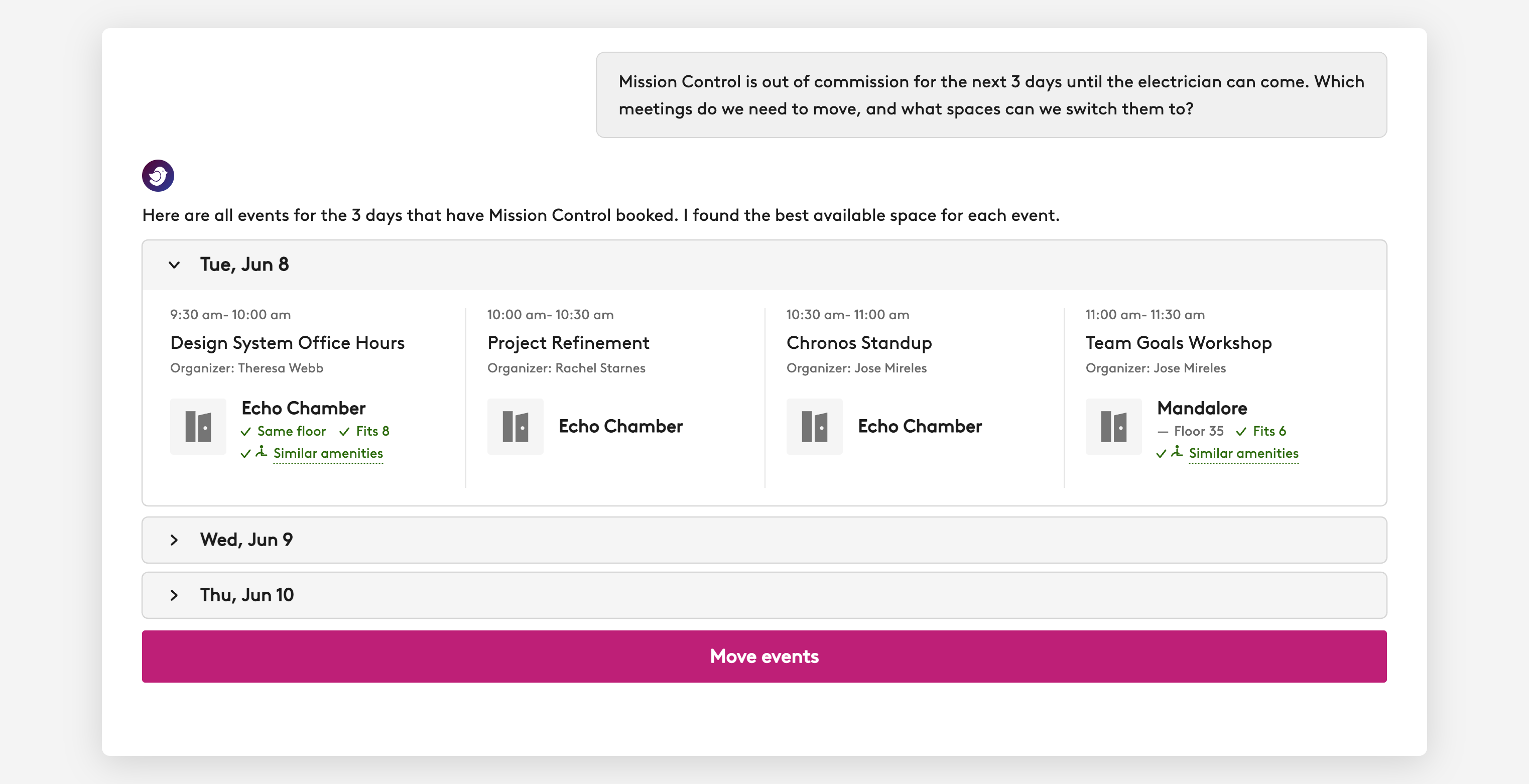
This is the step most ticketing tools skip. Once a ticket is created, Robin alerts you to every booking on the affected resource, in one view. That way, you can see exactly how many meetings a single issue will disrupt, up front.
Step 4: Rebook those impacted and give organizers a heads-up
Rebook affected meetings and instantly get suggestions for alternative available spaces. Robin will also alert meeting organizers so they’re kept in the loop.
Step 5: Track every issue from a live queue and map
Once the immediate fallout is handled, Robin keeps the issue visible until your team can resolve it:
- Live queue. Sort, filter, and assign issues from one log, so nothing gets lost in email threads and side conversations.
- Map of open issues. See where outstanding problems are across a floor or building at a glance.
- Conversational updates. Update an issue's status, resource, or photo by simply telling Robin.

Keep one issue from becoming everyone's problem
Facilities issues will always happen. What you can control is how far they spread. With Robin, the moment an issue is reported, it shows up on the live map, the reporter gets a replacement booking, and you see every affected future booking with the option to rebook them.
That way, one issue stays one issue and you stay in control of every step.
Book a demo to see it live and learn how Robin can help automate your workplace ticketing.