

What is OfficeSpace? A Complete Overview of Features, Tradeoffs, and Alternatives



OfficeSpace is workplace management software used for space planning, desk booking, and office layout visualization. While it’s a strong option for traditional offices, many teams run into limitations with analytics, automation, and hybrid workplace support.
Choosing the right workplace platform isn’t just about managing desks and rooms; it’s about how your office actually runs day to day. From employee experience to reporting, the tools you use directly impact how effective your workplace operations are.
This guide breaks down what OfficeSpace does well, where teams run into friction, and how it compares to a more modern workplace platform like Robin.
What is OfficeSpace?
OfficeSpace is workplace management software designed to help organizations manage office layouts, desk assignments, and space planning. It’s commonly used by facilities and workplace teams to manage floor plans, coordinate seating, and plan changes like moves or reorganizations.
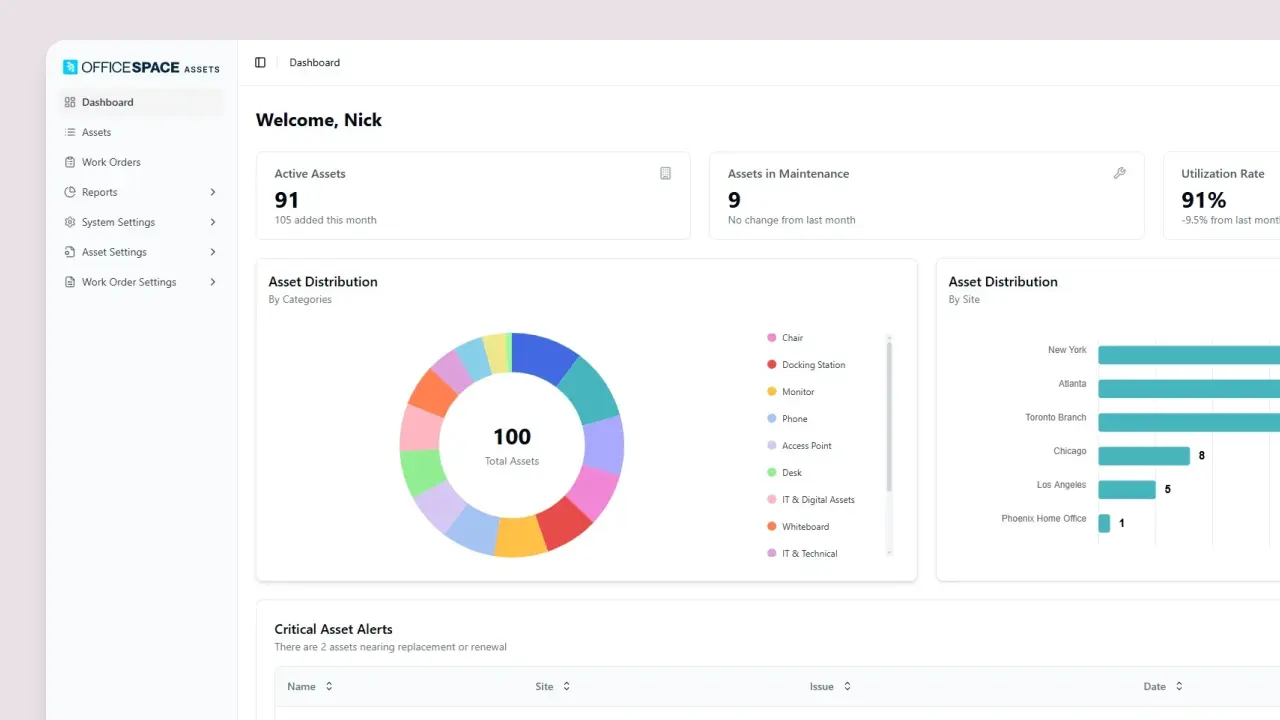
At its core, OfficeSpace focuses on:
- Space planning and floor plan management
- Desk and room booking
- Workplace scenario planning
- Basic reporting on space usage
OfficeSpace works well for organizations transitioning from static office layouts to more flexible environments. However, as workplace needs shift toward hybrid work, many teams expect more automation, deeper insights, and smoother employee experiences than the platform typically provides.
Pros and Cons of Using OfficeSpace
Pros
- Facilities-led space planning capabilities: Visual floor plans help teams manage layouts and seating.
- Scenario planning support: Useful for modeling reorganizations and capacity changes.
- Broad feature coverage: Established platform with a wide range of workplace tools.
Cons
- Manual admin workflows: Updates to maps and planning often require hands-on effort.
- Limited analytics: Reporting frequently relies on exporting data to spreadsheets.
- Adoption challenges: Disconnected workflows can reduce employee engagement.
- Headcount-based pricing: Costs may not align with hybrid usage patterns.
- Less guided onboarding: Setup and support can require more internal ownership.
OfficeSpace vs. Robin
OfficeSpace and Robin take different approaches to workplace management. OfficeSpace focuses on facilities-led space planning and visualization, while Robin’s workplace management platform is designed to streamline day-to-day workplace operations in hybrid environments.
As workplace expectations evolve, many teams compare OfficeSpace with newer platforms like Robin that are built specifically for hybrid work and day-to-day operations.
When should you switch from OfficeSpace to Robin?
Teams typically consider switching from OfficeSpace when their workplace needs evolve beyond space planning and into day-to-day operational efficiency. If your team is spending too much time managing the system instead of improving the workplace, it may be a sign you’ve outgrown your current setup.
- You rely on spreadsheets for reporting: If answering basic questions about attendance or utilization requires exporting data, you’re missing the kind of workplace analytics that can support faster decisions.
- Your team is doing too much manual work: Frequent map updates, approvals, and coordination can slow down workplace operations and make it harder to adapt your office space planning strategy as needs change.
- Employees aren’t consistently using the platform: Low adoption often comes from workflows that live outside the tools employees already use, which is why many teams invest in better desk booking software.
- Your pricing doesn’t reflect actual usage: Paying based on headcount instead of active users can lead to unnecessary costs in hybrid environments.
- You need better support and faster time to value: Teams often look for more hands-on onboarding and ongoing guidance as their workplace evolves.
Robin is designed to address these challenges by focusing on how workplaces actually operate today. Instead of requiring teams to adapt to the software, Robin integrates directly into existing workflows and automates many of the tasks that slow teams down.
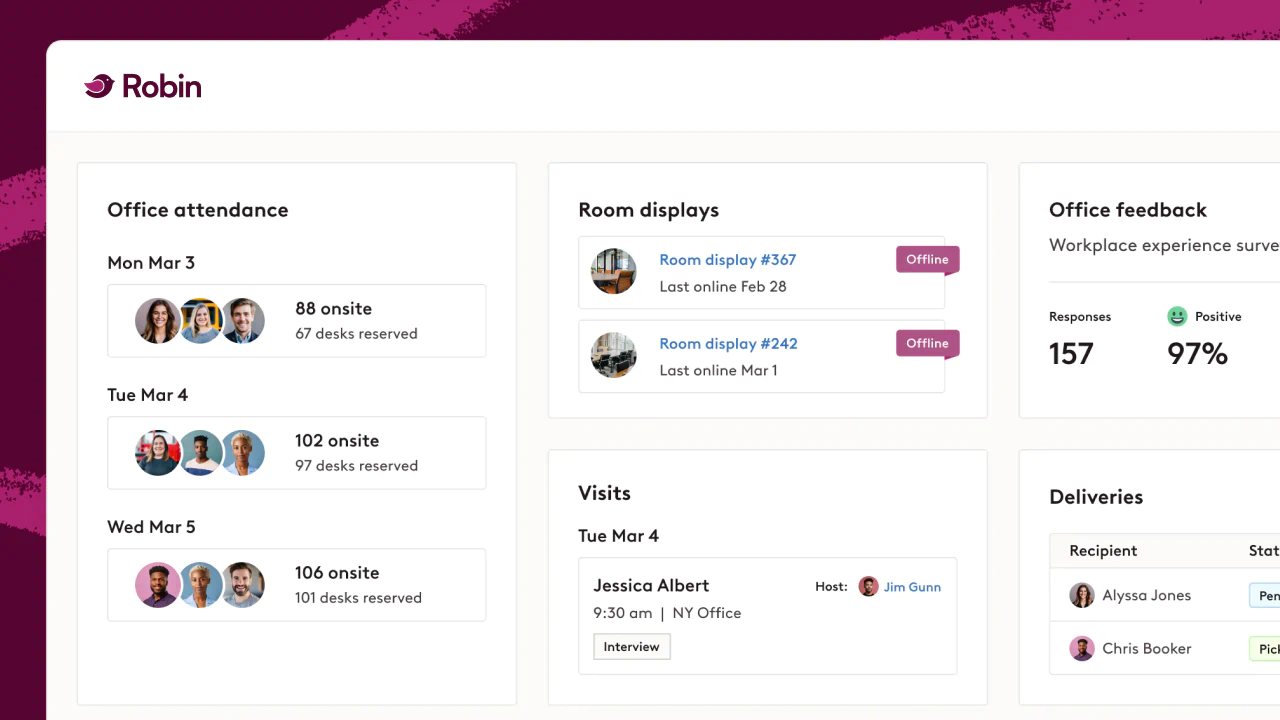
- Booking where work already happens: Employees reserve desks and rooms directly in Outlook, Google Calendar, Teams, and Slack through desk booking software built for quick adoption.
- Built-in analytics: Leaders can quickly understand attendance and utilization with workplace analytics instead of rebuilding reports in spreadsheets.
- Automated workflows: Robin’s workplace experience software helps reduce manual work for admins and create a smoother employee experience.
- Flexible support for hybrid work: Robin’s hybrid work software is designed to support changing attendance patterns and evolving office policies.
- Dedicated support: Guided onboarding and ongoing strategic support help teams adopt quickly and scale effectively.
For teams evaluating a switch, it can also help to explore Robin’s guidance on hybrid office seating and how desk booking software supports hybrid work.
Key takeaways
- OfficeSpace is best suited for long-term, facilities-led space planning
- Hybrid teams often need stronger analytics and automation
- Robin focuses on simplifying day-to-day workplace operations
FAQs About OfficeSpace and Workplace Operations Software
Final Thoughts
OfficeSpace is a solid choice for organizations focused on long-term space planning and visualization. However, as hybrid work becomes the norm, many teams look for platforms that go beyond managing space to actively improving how the workplace runs.
Modern workplace platforms need to drive adoption, deliver actionable insights, and reduce operational overhead—while aligning costs with real usage. That’s where platforms like Robin are reshaping what teams expect from workplace software.
Want to see how Robin works in your office?
Schedule a demo to explore how your team can reduce manual work and get better visibility into workplace usage.
Already have a workplace tool in place?
You don’t have to start over to get more value. See how switching to Robin works, and how teams make the move without disruption.