

Workplace Operations: Definition, Strategy, and KPIs



Workplace operations is the discipline that coordinates people, space, technology, and process so an office supports the business instead of just costing money. It sits across facilities, IT, HR, and workplace experience, and it owns the outcome those teams share: an office that actually gets used. This guide covers what workplace operations includes, how it differs from facilities management, the metrics that track it, and how to build a strategy around it.
Key takeaways
- Workplace operations covers four areas: facilities and infrastructure, process and workflow, employee experience, and data and technology.
- The work breaks into three jobs: plan the space, manage the day to day, and make the office easy to use.
- It is broader than facilities management, which stops at the building, and narrower than operations management, which covers the whole business.
- Five metrics track it: space utilization, booking completion, cost per employee, ticket resolution time, and employee satisfaction.
- Robin's 2026 Workplace Friction Index research puts the cost of poor workplace coordination at roughly $9 million a year for a mid-sized company.
What Is Workplace Operations?
Workplace operations is the job of making sure people, physical space, technology, and processes all work together so an office actually helps the business, instead of just sitting there costing money.
Think about it this way. For a long time, "running an office" required several different teams all operating their own systems: Facilities kept the lights on. IT managed the Wi-Fi. HR handled office policies. And reception handled deliveries, visitors, and the general experience of walking through the door. But nobody was really looking at the whole picture. Workplace operations is the job of making sure everything about an office (from the space to the tools, and the people using it) works together smoothly.
In practice, workplace operations break down into four key areas.
- Facilities & infrastructure is the physical side of the office. That’s the stuff you'd notice immediately if it stopped working. Heating and air conditioning, restocked supplies, working outlets, a layout that actually makes sense. Nobody thinks about these items when they’re working, but everybody notices the second they aren’t.
- Process & workflow is how things actually get done behind the scenes. When a visitor walks in, what happens next? When something breaks, how does that maintenance request reach the right person? These are the invisible steps that either move smoothly or turn into a mess of emails and confusion.
- Employee experience is all the small moments that decide whether coming into the office feels easy or annoying for your team. Can someone grab a desk in ten seconds, or does it take five clicks and a phone call? Is a conference room actually free when the calendar says it is? None of these moments feel like a big deal on their own, but stack enough of them up over time, and they're the real reason people either want to come in or quietly avoid the office at all costs.
- Data & technology is the layer that ties the other three areas together; its reporting tells you the truth about how they're actually doing. Without it, you're just guessing whether your space, your process, and your employee experience are working. With it, you can see exactly what's working, what's quietly failing, and what to fix next.
Workplace Operations vs. Related Terms
Workplace operations often gets confused with facilities management and operations management. Here’s how to tell them all apart: facilities management owns the building, operations management owns the whole business, and workplace operations owns how people use the office.
Workplace operations is still a relatively new term. That’s because ten years ago, offices were much more simple. For the most part, everyone showed up every day, so the space was basically always full. Hybrid work changed all of that. Now attendance shifts day to day. Space isn't a fixed thing you fill up anymore, it's a variable you have to actively manage. Someone has to own that. That someone is workplace operations.
But who that someone reports to still varies a lot. Sometimes it's a Corporate Real Estate team. Sometimes IT, or HR, or straight to the COO. There's no single right answer yet, which is honestly part of why people mix this term up with two or three others.
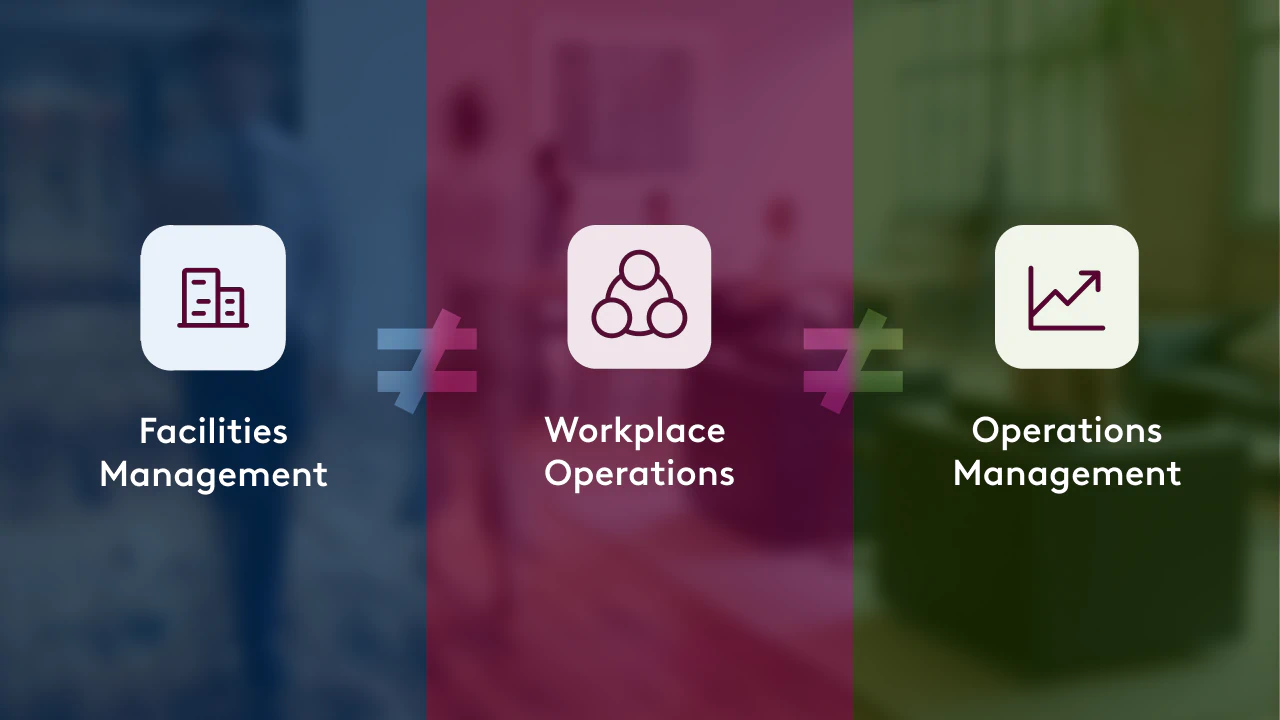
Workplace operations compared with facilities management and operations management
How is Workplace Operations Different from Facilities Management?
Facilities management is the discipline that keeps a building physically running, covering HVAC, security, cleaning, and repairs; it’s the oldest of the bunch. Success looks like things not breaking. Workplace operations includes all of that, but adds people and technology on top of it. It's not just "does the HVAC work," but "is this space, as a whole, actually helping the business do better."
How is Workplace Operations Different from Operations Management?
Operations management is the discipline that oversees how a company produces and delivers its product, covering supply chain, manufacturing, service delivery, and process efficiency across the whole business. Workplace operations applies similar thinking to one specific asset: the office. An operations manager optimizes how the company runs. A workplace operations manager optimizes how the workplace runs.
Why Does Workplace Operations Matter Now?
Workplace operations is important because real estate is often the second largest budget item for companies, after employee payroll. As more teams adopt hybrid policies, it’s important that teams adjust their offices accordingly.
But offices themselves have gotten weirdly unpredictable. Office usage hit 53% globally in 2025 — the highest it's been since March 2020, and a big jump from 38% the year before. Picture trying to plan a dinner party when you don't know if 4 people or 40 are showing up. That's roughly the problem workplace ops teams are solving, except it happens every single day.
There's real money on the table here, too. Research from McKinsey found that office attendance has stabilized at about 30% below pre-pandemic norms. Imagine being able to cut a third of your retail costs just by optimizing your office space. Many teams today are already seizing the moment to do just that. 73% of respondents in a 2025 survey done by JLL named portfolio optimization as their top objective, overtaking last year's priorities of improved reporting and cost reduction.
It also turns out that how you run your office affects whether people stick around. For example, Nicholas Bloom, one of the top researchers on work-from-home policies, found in one experiment that resignations fell by 33% among workers who go from working full-time in the office to a hybrid schedule where they work from home twice a week.
There is also a cost to getting the coordination wrong. Robin's Workplace Friction Index research, conducted with The Collab Collective across 514 employees and workplace operations professionals, found that workplace friction costs a mid-sized company roughly $9 million a year, and that employees lose up to 10.5% of their workweek to it. The mean Workplace Friction Index score among workplace operations respondents was 36.8 on a 100-point scale, where lower means less friction.
Add all of that up, and the pattern is clear: the things workplace operations manages like attendance, space, cost, and how it feels to come into work, are too big and too changeable to leave to chance. Do it well, and it shows up as lower costs, better-used space, and people who actually want to stay. Ignore it, and you pay for it anyway. Just in messier, harder-to-see ways like half-empty floors, employees quietly checked out, and return-to-office policies nobody actually follows.
The 3 Core Components of Workplace Operations: Plan, Manage, Use
Workplace operations break down into three core jobs, and almost everything a workplace team does falls under one of them. This is a simpler way to think about the discipline than a long list of departments. It's built around what the team is actually trying to do, not just what they're in charge of.
Plan: the forward-looking half of the job.
It's designing, optimizing, and evolving the workplace. It involves figuring out how much space you actually need, where teams should sit, and how the office should change as the company does. That means tracking the data that shows how the office is actually being used: room and desk bookings, visitor traffic, space utilization, and delivery volume. With that data in hand, a team can walk into a reorg, an acquisition, or a lease renewal and answer questions with numbers instead of hunches.
Manage: the day-to-day engine.
It encapsulates everything required to run the office right now, including: coordinating visitors, meetings, deliveries, and workplace services from one place instead of five, and keeping calendars, rooms, and workplace data in sync automatically. This is where most of the "invisible when it works, very visible when it doesn't" tasks live. Done well, workplace issues get caught and fixed before employees even notice them.
Use: the employee-facing part of workplace operations.
It's what makes coming into the office feel effortless instead of annoying. These are all the moments where employees need something from the office, like booking a desk, finding a room, seeing where your team is sitting, joining a meeting without fighting the AV. You can think of Plan and Manage as more “behind the scenes”, while Use is what the employee actually feels. But all of this contributes to whether people are excited to come into the office or quietly avoid it.
It’s important to call out that these are all three angles on the same job, and the best workplace operations teams move fluidly between all three.
How Do You Measure Workplace Operations? (KPIs)

You can tell whether workplace operations are working by tracking a handful of specific numbers. Here are the KPIs that matter most:
What counts as a good number? For space utilization, CBRE puts the global average at 53% and peak-day utilization at 80%, against the 65% target most organizations set. JLL's 2026 Global Occupancy Planning Benchmark Report puts global utilization at 56%, up from 54% in 2025, compared with a pre-pandemic level of 61%. Use those as directional context rather than targets, because the right number depends on your seat ratio and attendance policy.
How to Build a Workplace Operations Strategy
A workplace operations strategy works best when it's built around the same three jobs the team actually does: Plan, Manage, Use. It's tempting to treat strategy like a one-time document you write, file away, and revisit next year, but that's not really how this works. Here's what the strategy looks like when you build it around what the team is actually doing, day to day and year to year.
- Plan the office. This step starts with actually understanding your space, not guessing about it. Map out how much space you have, and be honest about how teams really work in it, not how the org chart says they're supposed to. From there, set the policies that everything else will run on: booking rules, seating strategy, visitor flows. Get this step wrong, and every later step inherits the mistake.
- Manage the office. This is where the plan becomes daily reality. Rooms, calendars, visitors, deliveries, and requests all need to stay in sync instead of quietly drifting apart into five different systems that don't talk to each other. A workplace that's well managed feels almost boring from the outside, since problems get caught and solved before anyone notices them. That's the goal, even though it's an easy thing to undersell in a strategy document.
- Use the office, well. This step is where the plan actually meets the people it was built for. Employees need to be able to book, find, and navigate the space without friction, whether that's grabbing a desk in seconds or finding a free conference room that's actually free. Everything in steps one and two only matters if it shows up here, in whether people find the office genuinely easy to use.
- Scale it. Once this loop is working in one office, the real payoff is using what you've learned to repeat it everywhere else. The data from step three tells you what's overused and what's underused, and that data should flow straight back into how you plan the next office, or the next floor, or the next policy update. Scaling isn't about doing more work. It's about doing the same loop, informed by better information each time.
Here's the part that matters most: this isn't a one-time plan. It's a cycle. Plan feeds Manage. Manage feeds Use. And what happens in Use, meaning how people actually book, move, and work in the space, feeds right back into the next planning cycle.
What Belongs in a Workplace Operations Tech Stack?
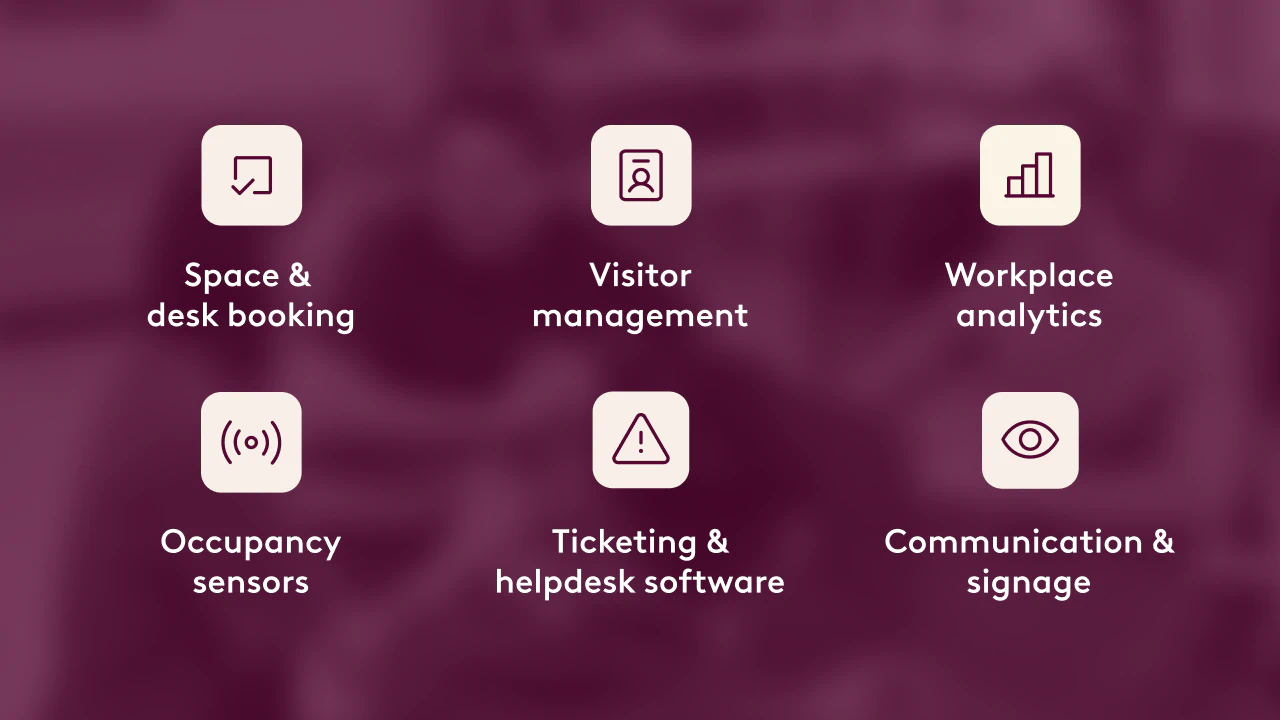
A solid workplace operations tech stack usually includes six categories of tools:
- Space & desk booking — lets employees reserve desks and rooms, and gives you the usage data to back it up
- Visitor management — handles check-in, badges, and security for anyone who isn't an employee
- Workplace analytics - turns booking, badge, and sensor data into utilization reporting that space and budget decisions can rest on.
- Occupancy sensors — physical devices that tell you, in real time, which spaces are actually being used
- Ticketing & helpdesk software — routes and tracks facilities or IT requests so nothing gets lost
- Communication & signage — digital displays and notification tools that keep employees and visitors in the loop
The right stack depends entirely on company size. A 20-person startup might get by with one booking tool. A 1,000-person company usually needs most of this list working together.
Common Workplace Operations Challenges
Most workplace operations teams run into the same handful of problems, no matter their size or industry. Here are the big ones:
Data fragmentation
Booking systems, badge data, surveys, and facilities reports often live in completely separate places. The fix is connecting the data you already have into one platform.
Balancing flexibility with structure
Employees want freedom. The business wants predictability. Good workplace operations build enough structure that flexibility doesn't turn into chaos.
Proving ROI
It's hard to show leadership that workplace operations is saving money, not just spending it. This is exactly why the KPI section above matters.
Cross-department ownership
Because workplace operations touches facilities, IT, and HR, it's easy for decisions to stall while everyone waits on everyone else. The fix is usually just naming one clear owner, even an imperfect one beats no one.
Key workplace operations terms
These are the terms that come up most often in workplace operations conversations:
- Hybrid work is a working model that splits employee time between the office and remote locations, usually on a set number of in-office days per week.
- Space utilization is a metric that measures the share of available space in use over a given period, typically from sensor, badge, or booking data.
- Occupancy rate is a metric that measures how many people are assigned to a building relative to the seats available in it.
- Hot desking is a seating model in which desks are unassigned and booked as needed rather than owned by one person.
- Desk booking is a process that lets employees reserve a specific desk for a specific time, usually through workplace software.
- Visitor management is a process that registers, checks in, and tracks everyone who enters the office without being an employee.
- Workplace analytics is a category of software that turns booking, badge, and sensor data into reporting on how the office is used.
- Desk-to-employee ratio is a planning figure that expresses how many desks a company provides for every employee, often below 1:1 in hybrid offices.
FAQ
What's the difference between workplace operations and workplace experience?
Workplace experience is how the office feels to the people using it. Workplace operations is bigger than that: it includes workplace experience, but also covers the planning, tools, and behind-the-scenes coordination that makes that experience possible in the first place.
Do small companies need workplace operations, or is it just for big offices?
Even a 50-person company benefits from having someone own space, tools, and process. One person wearing the hat part-time, with a couple of connected tools, may be enough at that size. It's usually somewhere past a few hundred employees, or once hybrid schedules kick in, that it needs to become a dedicated role.
How is workplace operations different from property management?
Property management is about the building as an asset: leases, tenants, and the physical structure itself, often across multiple buildings owned or rented out. Workplace operations is about how one company uses its own space day to day. A property manager might own the building. Workplace operations owns what happens inside it.
Can workplace operations work without a dedicated software platform?
Sometime. Plenty of small teams run on spreadsheets and email for a while. But it gets harder fast, since every disconnected tool becomes one more place data can go stale or a request can get lost. Most teams outgrow the spreadsheet approach the moment they reach 500 employees, add a second office or run on a hybrid schedule.
What's the biggest mistake companies make with workplace operations?
Treating it as a collection of separate tasks instead of one connected system. A team might have great booking software and a great visitor system that never talk to each other, which just moves the fragmentation problem instead of solving it.
Who should a workplace operations team report to?
There's no single standard yet, it depends on the company. Some report into Corporate Real Estate, some into IT, some into HR, and some straight to a COO. What matters more than the reporting line is that someone clearly owns the whole picture, instead of it being split across departments with no single owner.
What does a workplace operations manager do?
A workplace operations manager owns how the office runs day to day and how it changes over time. The role usually covers space planning, booking policy, visitor and delivery workflows, workplace technology, and the reporting that informs real estate decisions. It sits between facilities, IT, and HR rather than inside any one of them.
What software do workplace operations teams use?
Most teams use a workplace platform that combines desk booking, room scheduling, visitor management, and analytics, connected to their existing calendar and messaging tools such as Microsoft Outlook, Microsoft Teams, Google Calendar, and Slack. Some teams add occupancy sensors for utilization data and a ticketing system for facilities requests.